

The budget for living together.
Start on your own and invite your partner, family or roommates whenever you like. All in the same app, on your phone and on the web.
Budget
Plan your month up front.
Plan your income and expenses by category. finwe shows upcoming payments, what’s left and how much you can spend each day.
- Balance accounts and credit cards kept apart.
- Split a purchase into instalments and move money between accounts.
- Enter monthly income and bills once, and finwe repeats them.
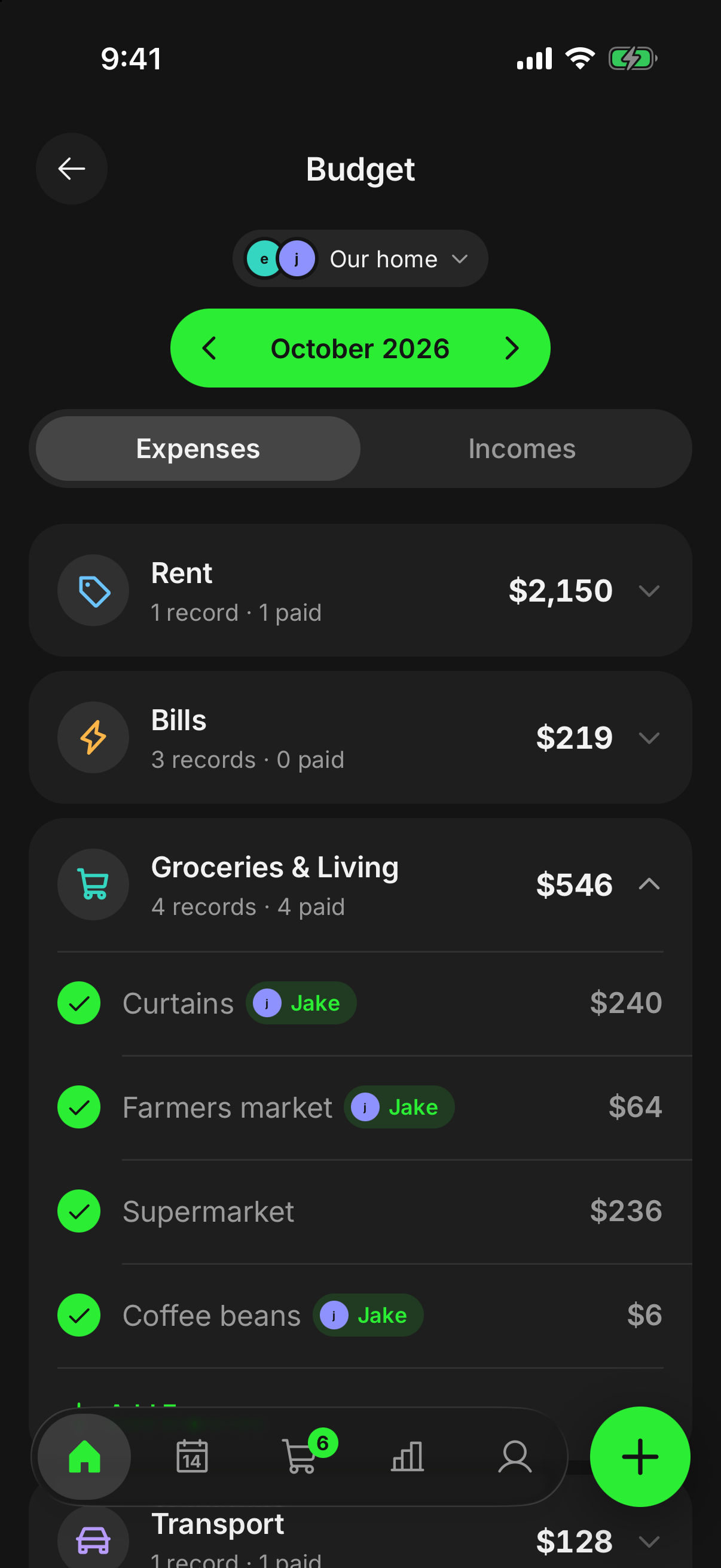

Me and Our home
Personal stays personal, shared stays in the middle.
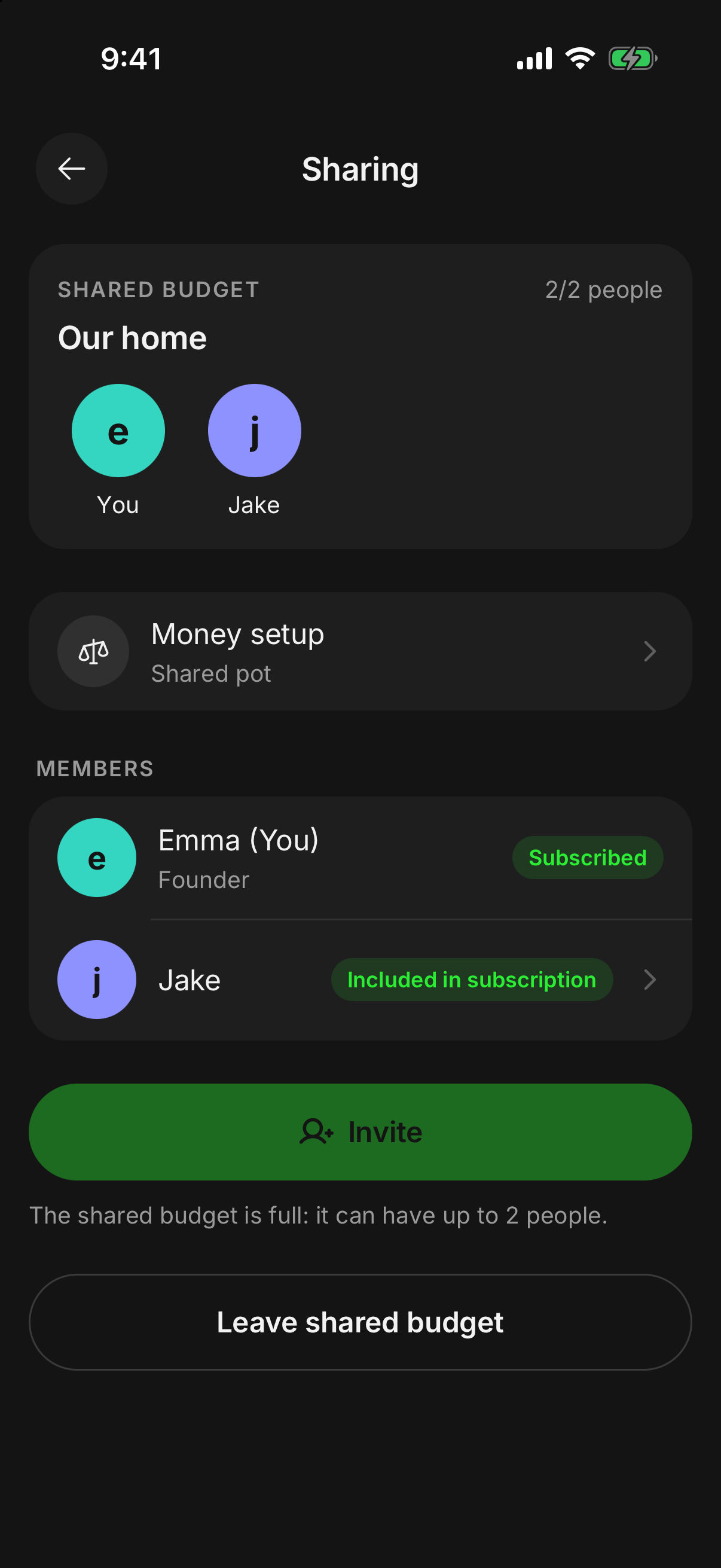
Everyone has their own personal space, plus the shared budget you use together. Switch between them with one tap.
- The people in your shared budget can’t see your personal records.
- Every record in the shared budget shows who added it.
- Changes show up instantly on phones and on the web.
- Whoever sets up the shared budget creates the invite code; it’s valid for 7 days.
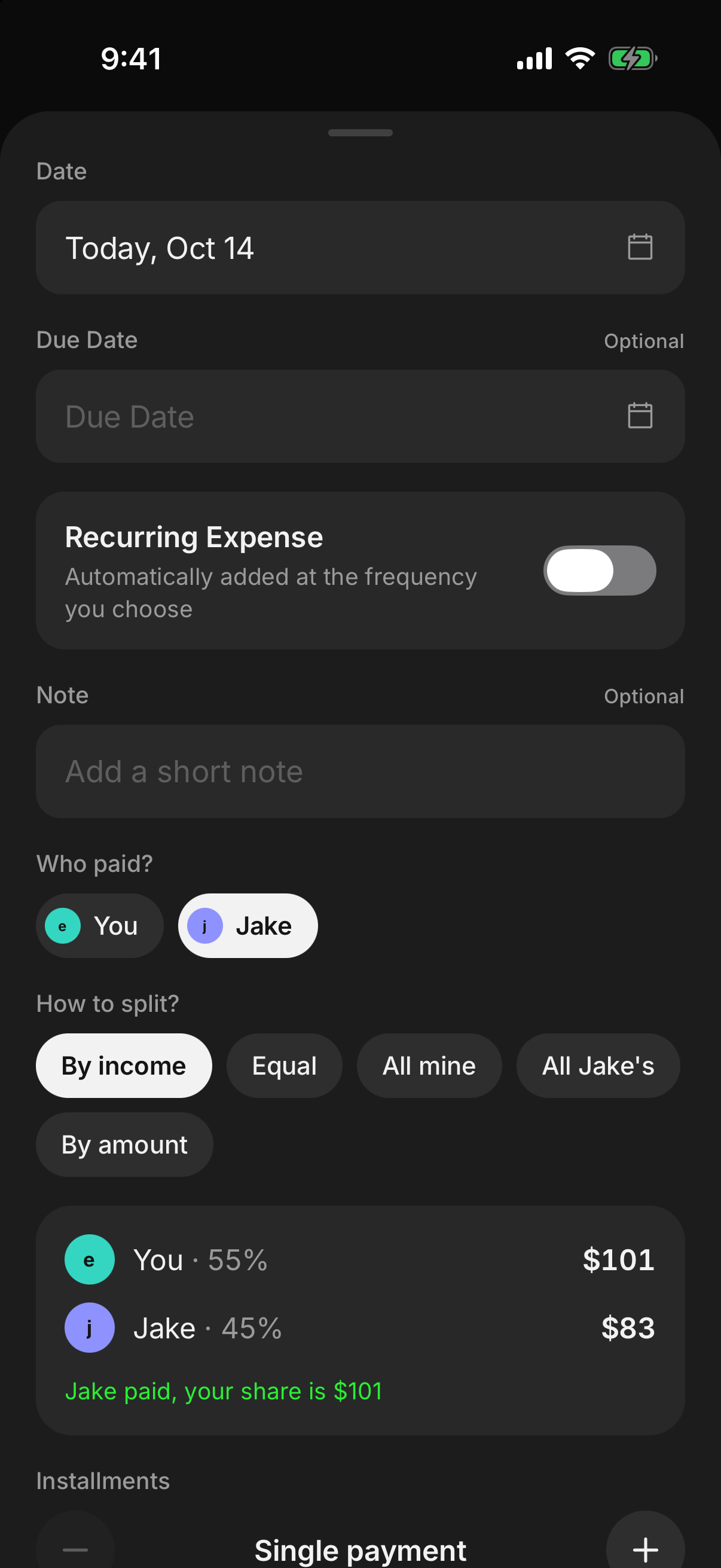
Splitting
Everyone pays their share.
With “we split expenses”, whoever adds an expense picks who paid and how to split it. The shares are fixed when the expense is saved, so changing the rule later never rewrites old balances.
- Split by income, equally or by amount.
- When splitting by income, everyone enters their own; the others only see the percentage.
- Put an expense entirely on one person if you like.
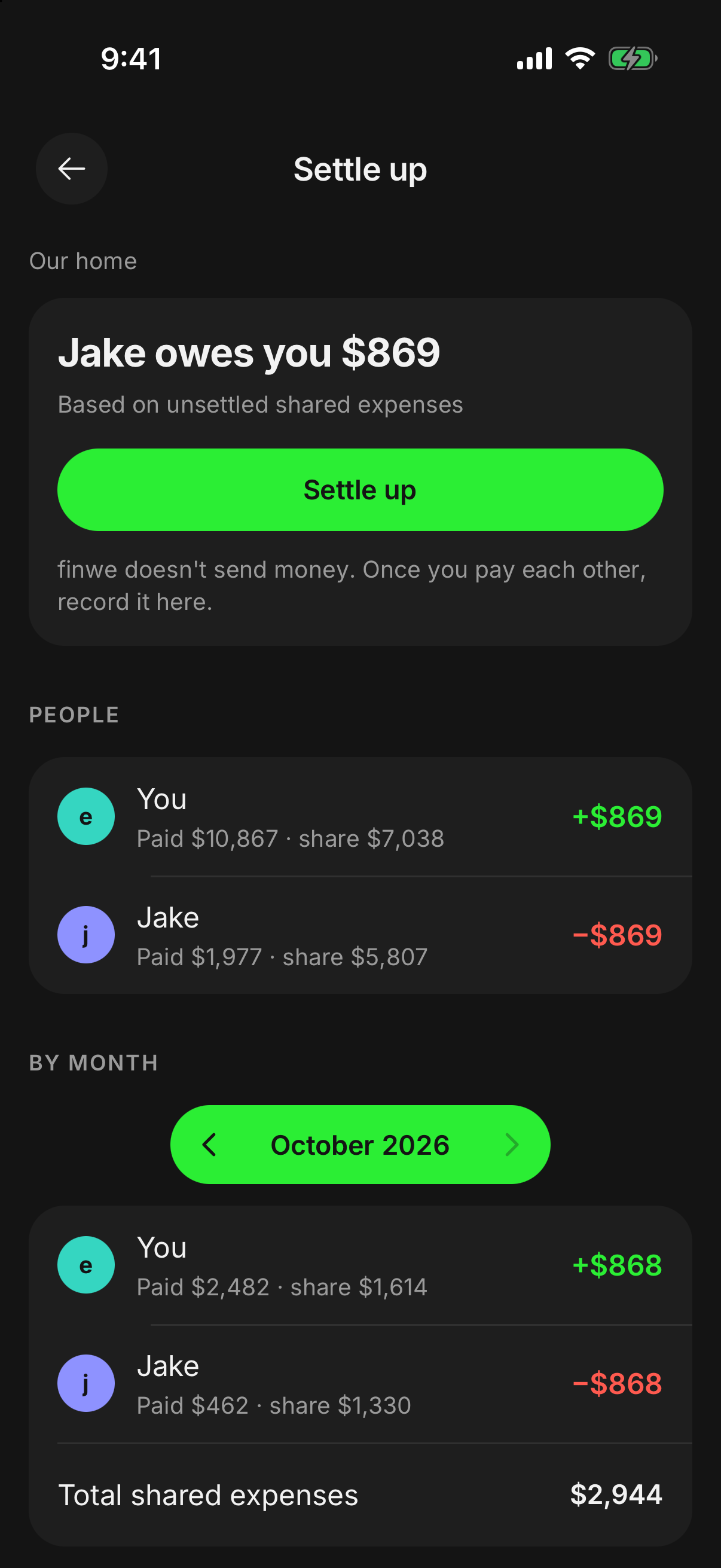
Settle up
Who owes whom, at a glance.
finwe works out everyone’s balance from the shared expenses that were paid. When you pay each other back, record it with “Settle up” and the other person is notified.
- All months that aren’t settled yet are counted together.
- A shared trip is settled in the same place.
- finwe never sends money; it only keeps the record.
Allowance
An allowance from the shared pot.
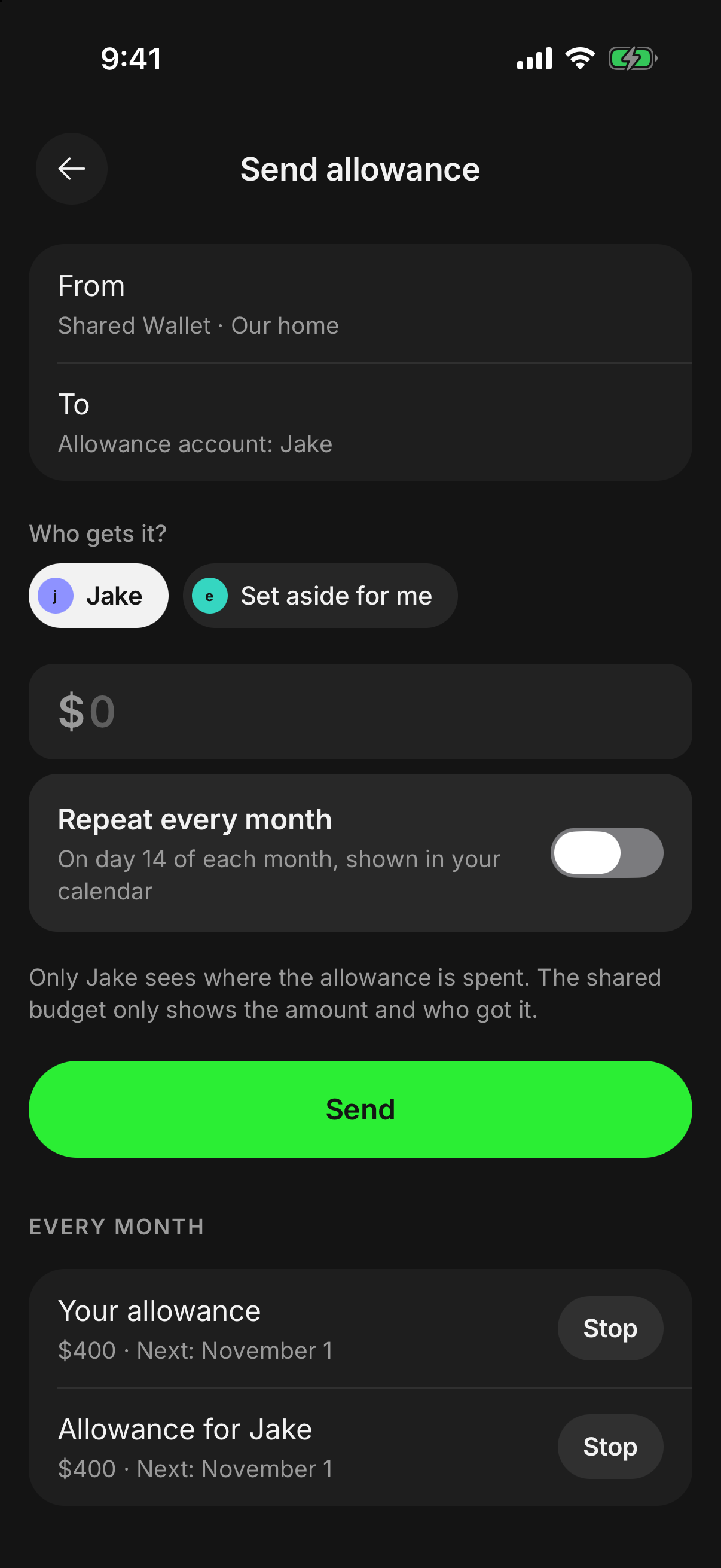
If you and your partner or family share a pot, set aside an allowance for someone or for yourself. It goes to that person’s own “Allowance” account.
- Once or every month, on the day you choose.
- The shared budget shows only the amount and who it went to; only they see how it’s spent.
- What’s left rolls over to the next month.
Calendar
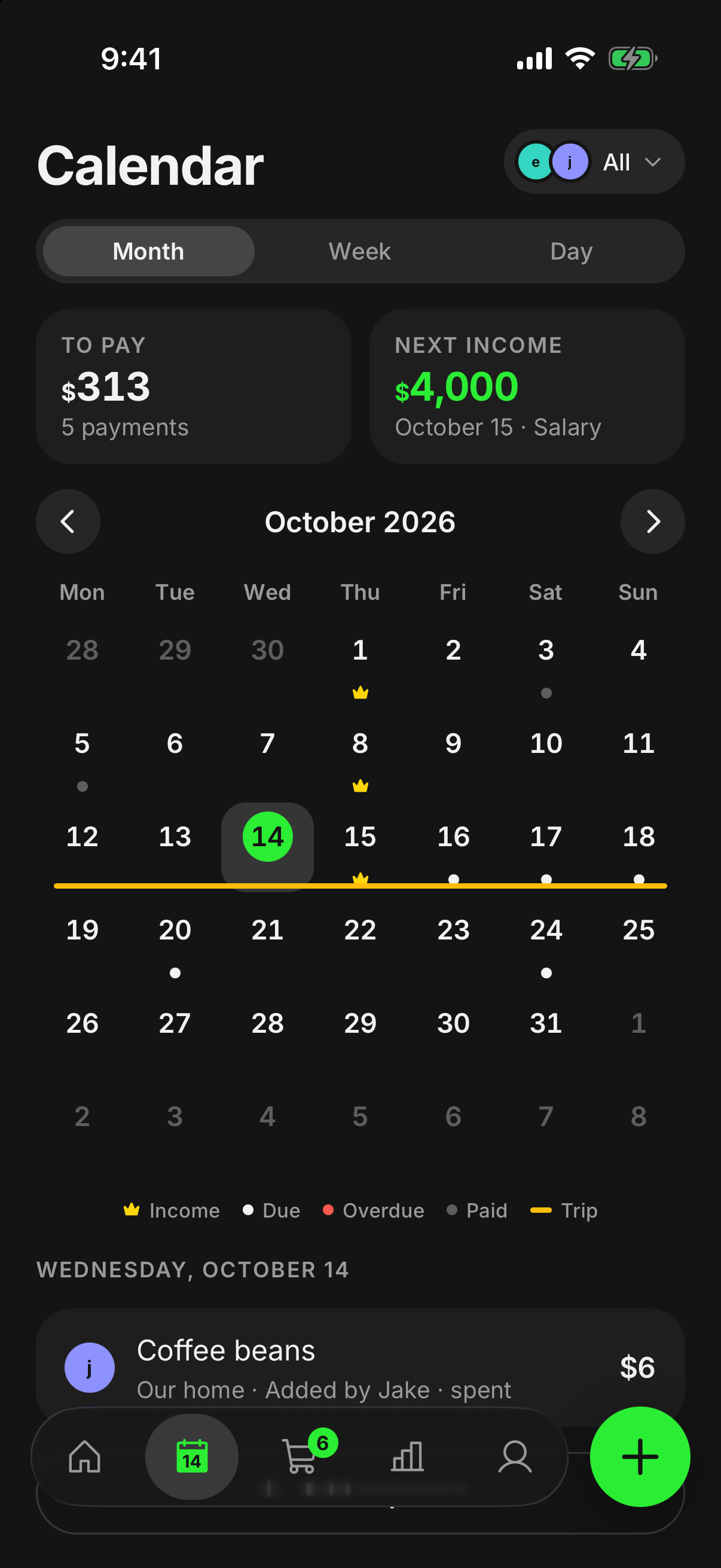
See what the month brings.
Due dates, paydays and spending on one calendar. Tap a day to open its records.
- Month, week and day view.
- Reminders for payments that are nearly due.
- Add an expense straight from the calendar.
Transactions
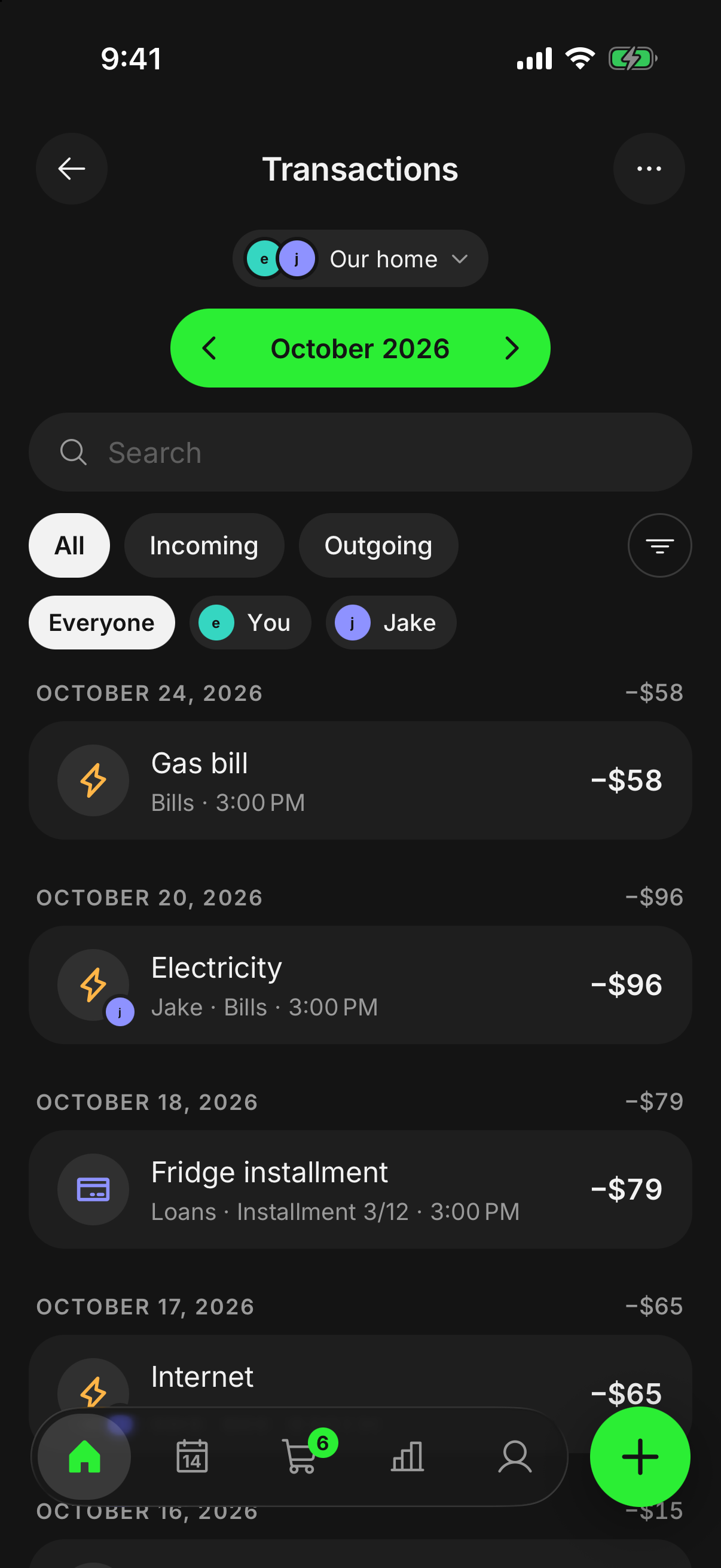
Every transaction this month.
Income and expenses in one list, newest first. See who added each one and, for split expenses, who paid and your share.
- Search, or filter by type, category or person.
- On the web: a table with pages and bulk delete.
Groceries
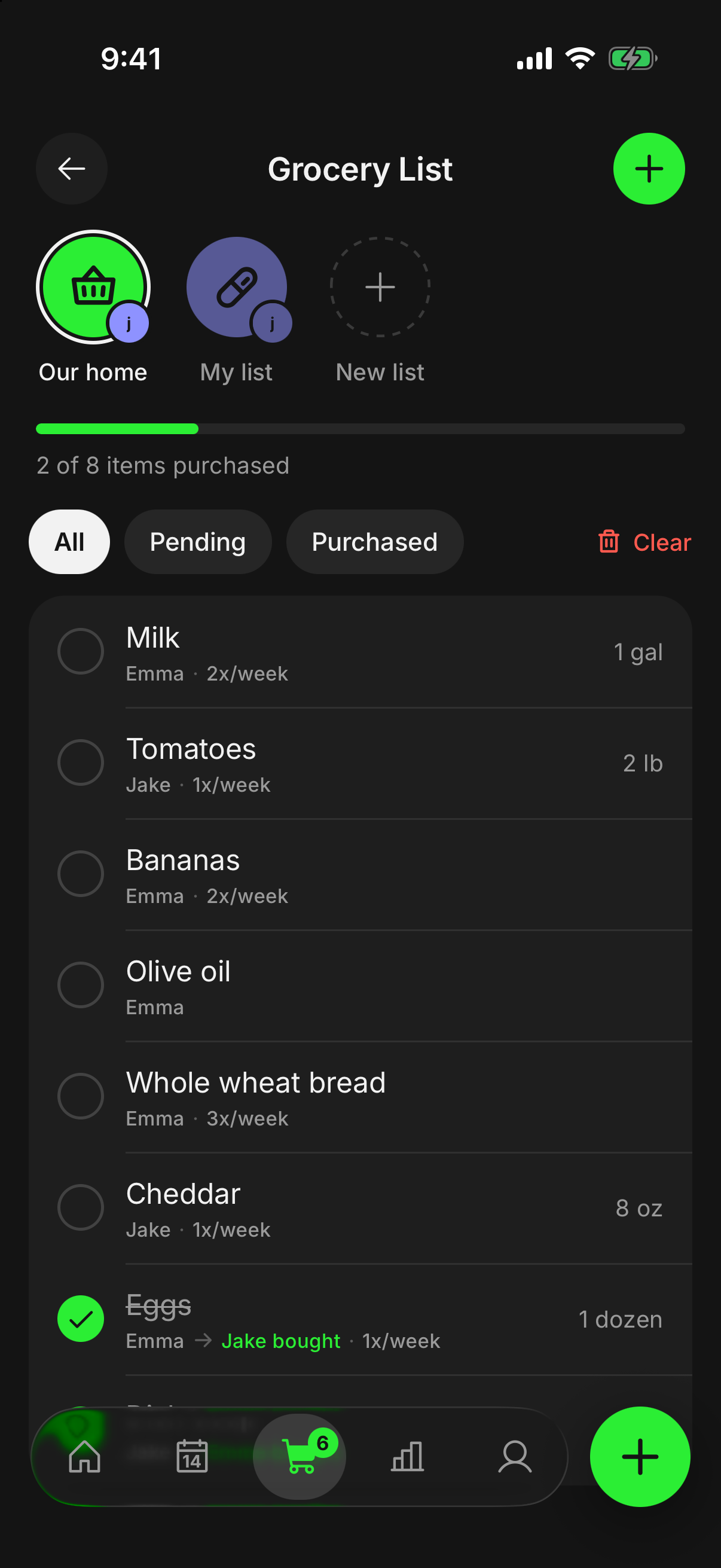
The shopping list for the home.
Everyone sees the shared budget’s lists, and you can share your own list with whoever you like. Tick items off in the store and the others see it instantly.
- Tell lists apart by icon and colour.
- A reminder when something you buy regularly is running low.
- As you type, things your home bought before are suggested.
Goals
Save together.
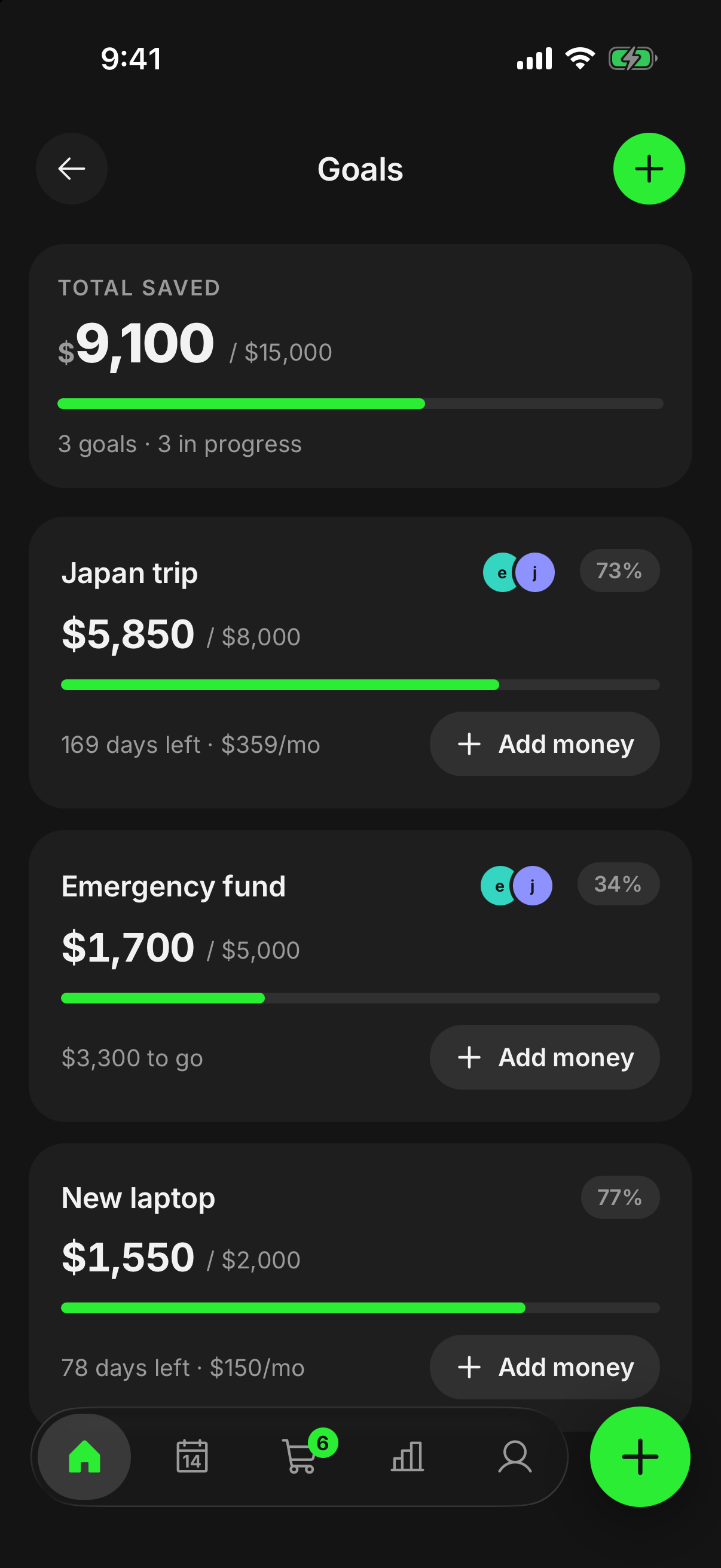
Set a goal on your own or in the shared budget. See who added how much and when, and what’s left to go.
- Contribute from any account.
- A small celebration when you reach it.
Trips
A separate budget for your trip.
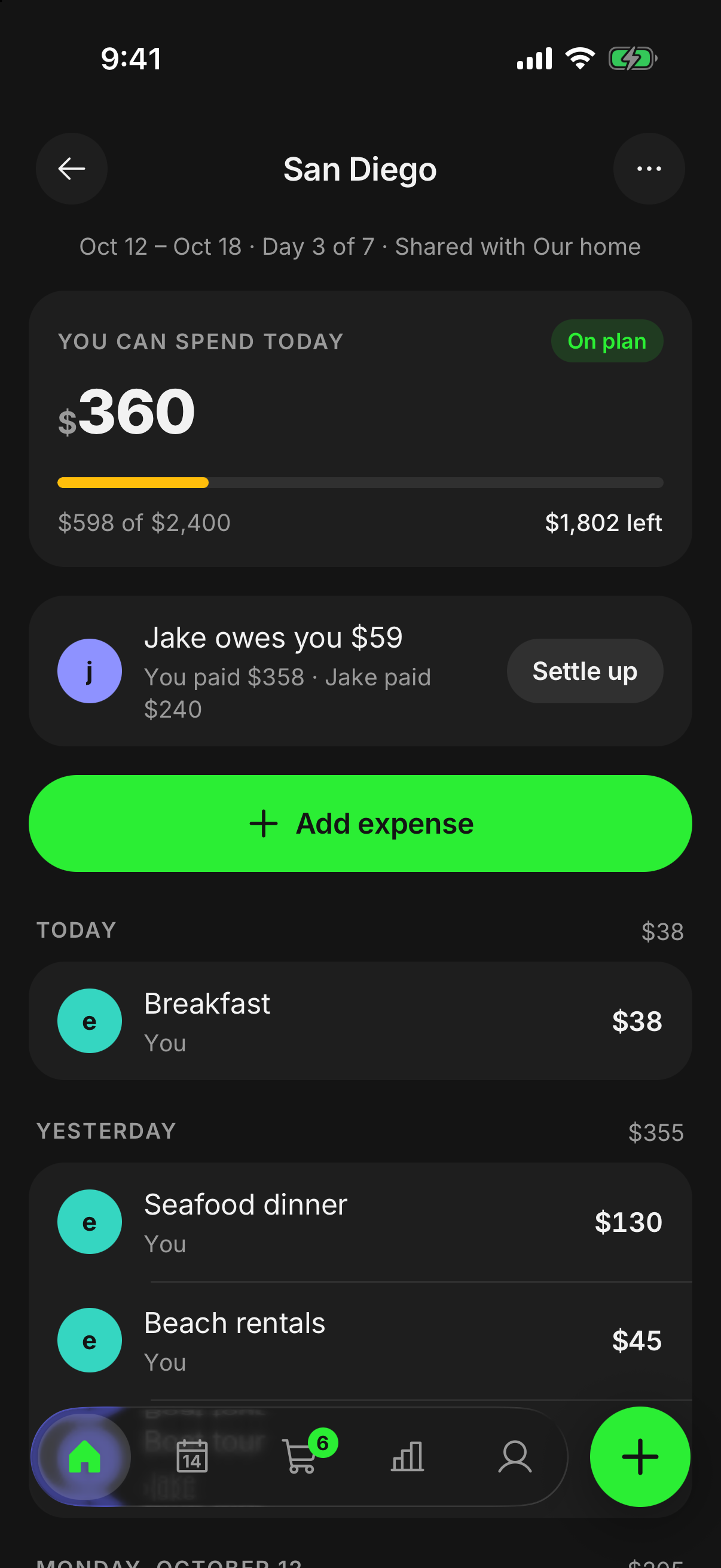
Give your trip its own budget with vacation mode and see what you can spend each day. On a shared trip, everyone adds their own expenses.
- Who paid what and who owes whom, ready at any time.
- When you’re back, pick up your month where you left it.
Reports
Where did the money go?
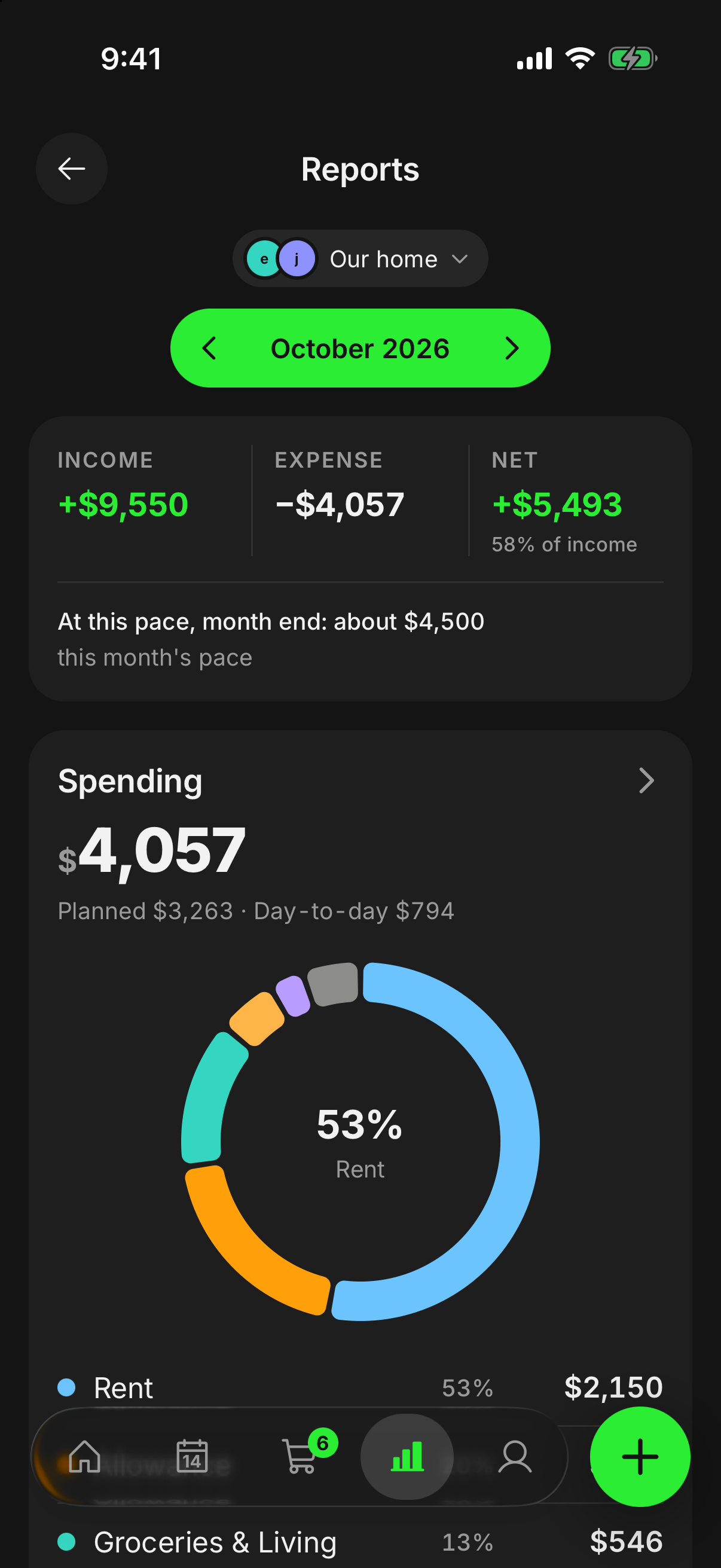
See the month’s spending category by category and compare it with earlier months.
- Save or share the report as a PDF.
- Get the transactions list as a PDF too.
“we” assistant
Short notes about your month.
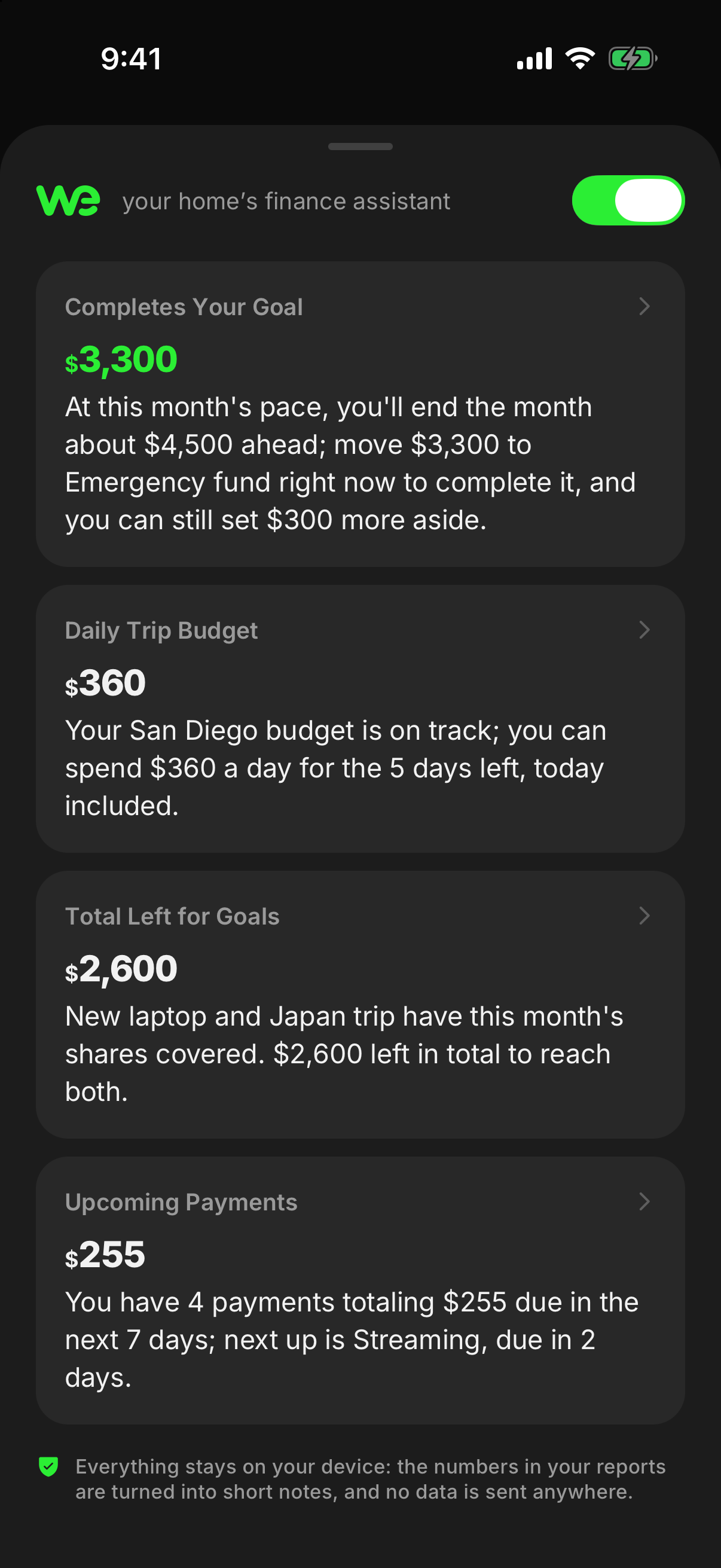
“we” tells you how the month is going, what’s due soon and what’s left for a goal, in short notes. They’re calculated on your phone with fixed rules.
- No data goes to any AI service.
- Turn it off with one tap if you don’t want it.
Web
finwe on your computer.
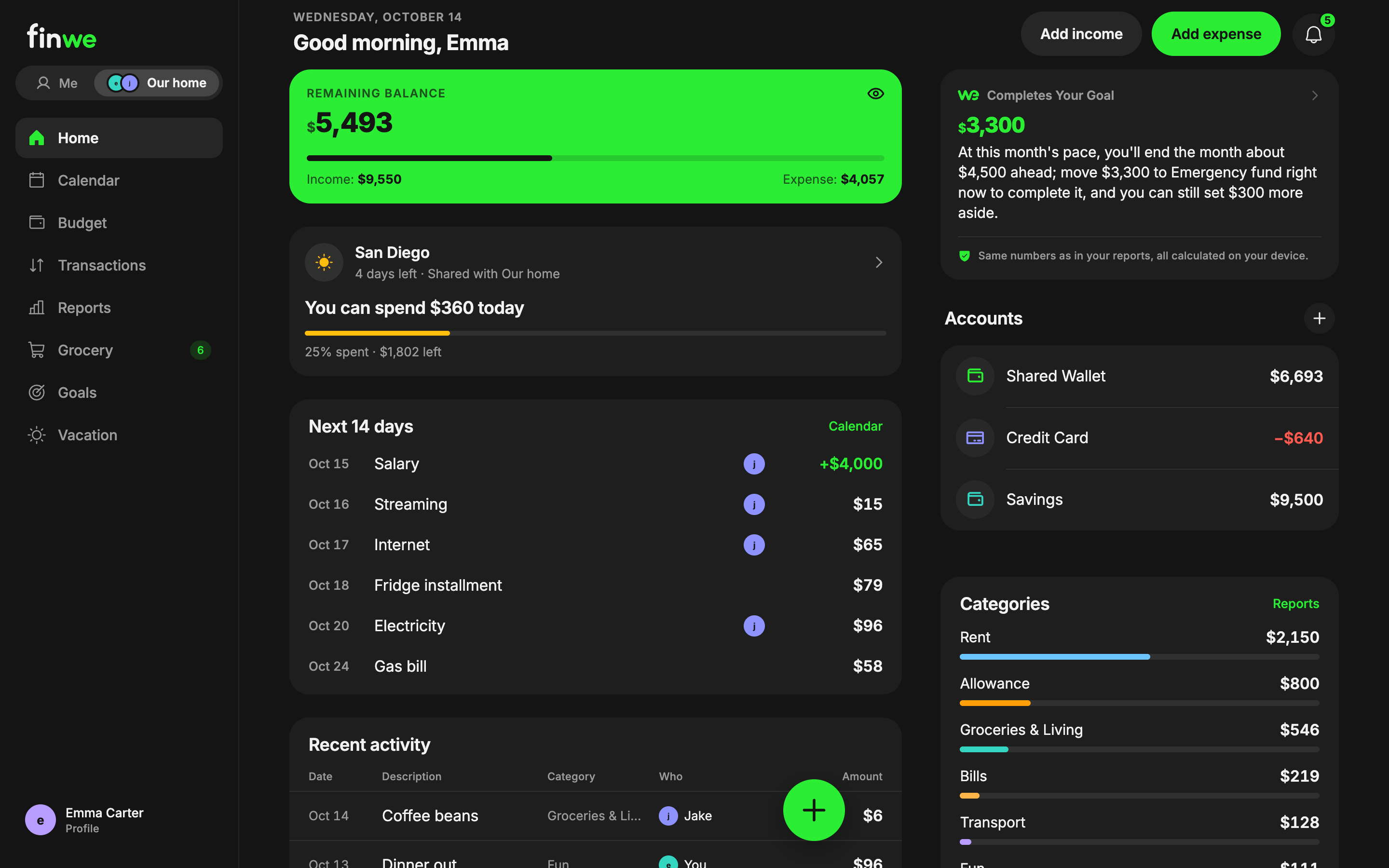
Sign in at web.finwe.app with the account from your phone. A layout made for big screens: menu on the left, your budget in the middle, transactions in a table.
- In the browser on iPad and on your computer.
- Enter to save, N for a new expense, / to search.
- On a shared computer, untick “Remember me” so your session is cleared when you close the tab.
And more
Widgets and Apple Watch
Your budget and shopping list on your iPhone Home Screen and your wrist.
Notifications
For the shared budget, groceries, payment reminders and shared trips; switch each type on or off.
Works offline
Add entries without a connection. They sync when you’re back online.
App lock
Lock finwe with Face ID, Touch ID or your fingerprint. Verification happens on your device.
6 languages
English, Turkish, German, Spanish, French and Russian.
No bank connection
finwe never connects to a bank, card or financial institution. It only keeps what you enter.
Free, no card. If you like it, subscribe based on who you use it with.
Coming soon to iPhone and Android.
Also on Apple Watch and the web.